
Download Dashlane – Secure Password Manager for Windows, macOS, Android & iOS
Overview
Dashlane is a modern password‑management solution designed to simplify the way you store, generate, and use online credentials. In today’s digital world, remembering dozens of complex passwords is a realistic challenge, and a single weak password can jeopardize personal data, financial information, and professional accounts. Dashlane tackles these risks by providing an encrypted vault that syncs across all your devices, an intuitive auto‑fill engine, and a built‑in password generator that creates strong, unique strings for every site. Beyond basic storage, the app offers a “Password Changer” feature that automatically updates weak or compromised passwords with a single click, helping you stay ahead of security threats without the hassle of manual updates. Whether you’re a busy professional juggling multiple work tools, a student juggling school portals, or a family looking for a shared yet private password solution, Dashlane’s blend of convenience and security makes it a compelling choice.
What sets Dashlane apart from many free alternatives is its comprehensive security architecture. All data is encrypted locally on your device before it ever reaches Dashlane’s servers, meaning only you hold the decryption key. Two‑factor authentication (2FA) adds an extra layer of protection, and a security dashboard continuously monitors for data breaches, alerting you when a password needs immediate attention.
The app also integrates seamlessly with popular browsers such as Chrome, Firefox, Edge, and Safari, enabling automatic form filling and secure password capture while you browse. For teams and families, Dashlane offers shared vaults that let you grant selective access without exposing the master password. In short, Dashlane is more than a password keeper; it’s a proactive security companion that evolves with your online habits.
Key Features
- Secure vault with AES‑256 encryption and zero‑knowledge architecture.
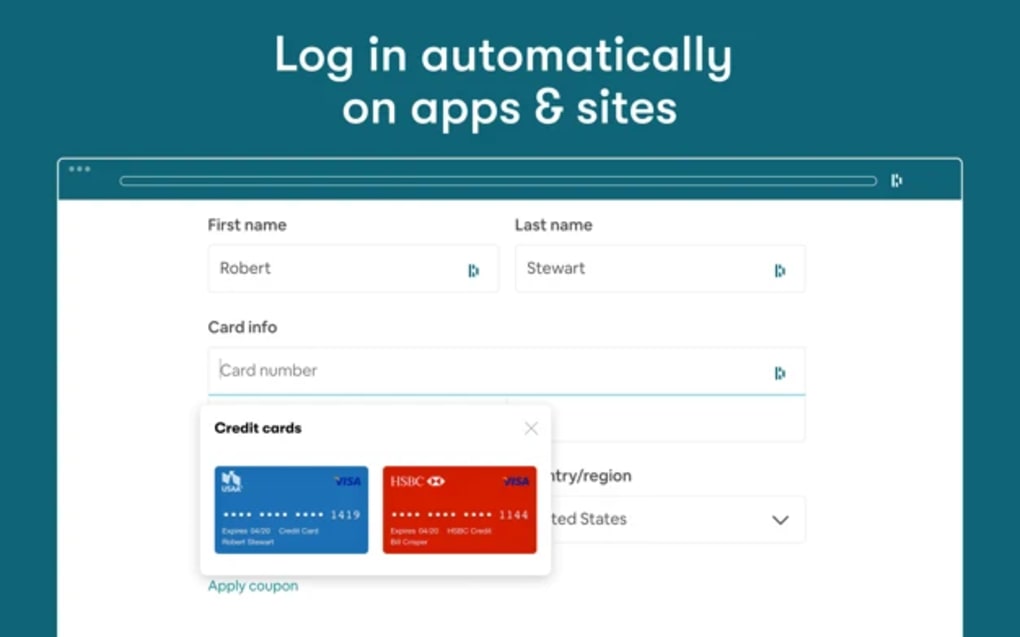
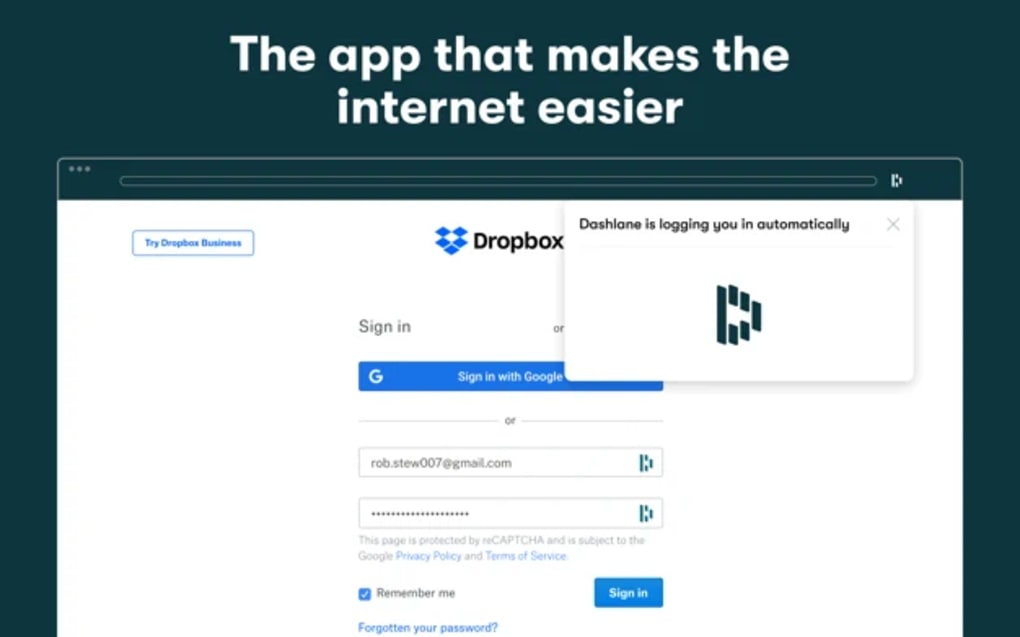
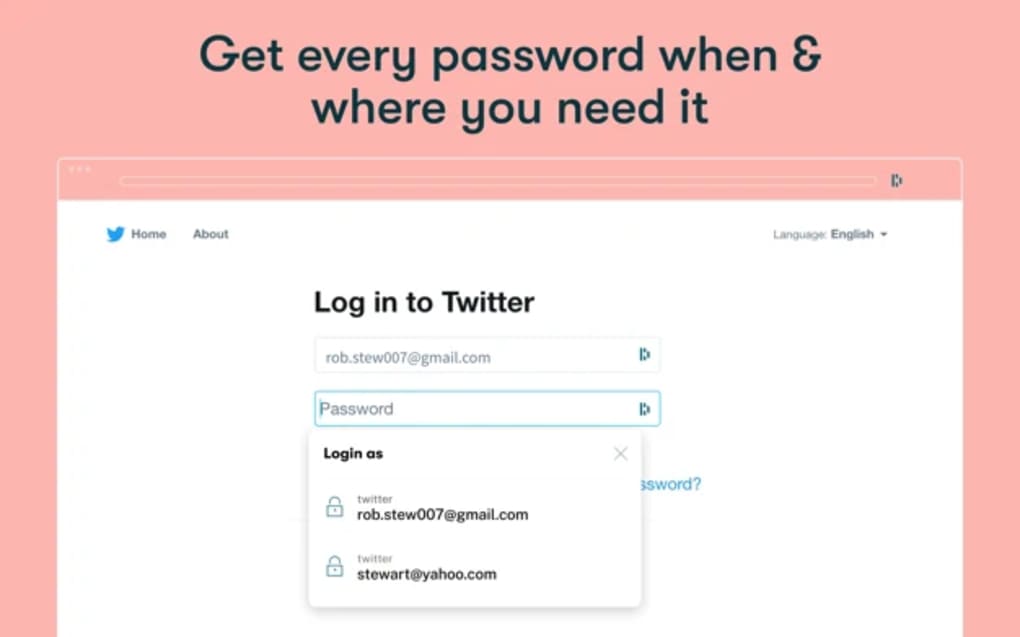
- Automatic password capture and one‑click auto‑fill for browsers and apps.
- Built‑in password generator that creates strong, random passwords on demand.
- Instant Password Changer that updates weak passwords across supported sites.
- Security dashboard that scans for breached credentials and provides remediation tips.
- Two‑factor authentication (2FA) and biometric login options for added protection.
- Cross‑platform sync for Windows, macOS, Android, and iOS devices.
- Shared vaults for families, teams, and businesses with granular permission controls.
- Secure notes section for storing confidential information beyond passwords.
- Dark web monitoring that alerts you if your personal data appears in illicit listings.
Each feature is built with usability in mind. For example, the password generator lets you set length, character types, and even exclude similar characters, ensuring the generated string meets the requirements of even the most restrictive websites. The auto‑fill engine works in the background, detecting login fields and populating them instantly, which reduces the time spent on repetitive sign‑ins. Meanwhile, the security dashboard aggregates data from over a billion known breaches, offering a clear visual of which accounts are at risk and recommending immediate actions. These capabilities are complemented by a sleek, user‑friendly interface that categorizes entries, tags them for quick retrieval, and provides a powerful search function that works even when you’re offline.
Installation & Usage Instructions
Step‑by‑Step Installation
- Visit the official Dashlane website or your device’s app store (Google Play Store for Android, Apple App Store for iOS).
- Click “Download” or “Get” to begin the installation process. The file size is typically under 100 MB, ensuring a quick download.
- Once the installer launches, follow the on‑screen prompts to accept the license agreement and choose your installation location (Windows) or allow necessary permissions (macOS, Android, iOS).
- After installation, open Dashlane and create a master password. This password must be strong and memorable because it’s the only key to unlock your vault.
- Optionally enable biometric authentication (fingerprint or Face ID) for faster, yet secure, access on mobile devices.
First‑Time Setup & Daily Use
When you launch Dashlane for the first time, the onboarding wizard guides you through importing existing passwords from browsers or other password managers. You can also start fresh by manually adding entries. The wizard demonstrates how to use the auto‑fill feature: simply click the Dashlane icon in your browser toolbar, and the extension will automatically suggest saved credentials for the current site. To generate a new password, open any login page, click the Dashlane icon, and select “Generate Password.” The generated password is automatically copied to the clipboard and stored in your vault.
For regular maintenance, open the security dashboard weekly. It will flag any compromised or reused passwords, allowing you to click “Fix” and let Dashlane’s Password Changer do the heavy lifting. If you share passwords with family members, create a shared vault, add the relevant entries, and invite others via email. Permissions can be set to “view only” or “edit,” ensuring each participant has appropriate access. Finally, enable dark web monitoring in the settings panel; Dashlane will silently scan for your email addresses and alert you if they appear in data breaches, prompting immediate password updates.
Compatibility, Security & System Requirements
Dashlane supports the following operating systems:
- Windows 10, 11 (64‑bit)
- macOS 10.15 (Catalina) and later
- Android 6.0 (Marshmallow) and later
- iOS 13 and later (iPhone, iPad)
Beyond basic OS compatibility, Dashlane integrates with the most popular web browsers, including Chrome, Firefox, Edge, Safari, and Opera. The desktop app runs as a background service, ensuring that auto‑fill works even when the browser window is minimized. On mobile, the app works seamlessly with the system’s autofill framework, allowing you to fill passwords in native apps and mobile browsers without leaving the app.
From a security perspective, Dashlane employs a zero‑knowledge model: your master password is never transmitted or stored on Dashlane’s servers. All vault data is encrypted locally using AES‑256, and the encryption key is derived from your master password via PBKDF2 with 100,000 iterations, making brute‑force attacks computationally infeasible. Regular security updates are pushed automatically, and the team conducts third‑party audits to maintain compliance with standards such as GDPR and ISO/IEC 27001. For enterprises, Dashlane offers additional controls like SSO integration, admin dashboards, and role‑based access policies, but even the free tier benefits from the same core encryption and breach‑alert mechanisms.
Pros & Cons
Pros
- Strong AES‑256 encryption with zero‑knowledge architecture.
- Instant password changer that automates updates on supported sites.
- Comprehensive security dashboard with breach alerts.
- Cross‑platform sync and seamless browser extensions.
- Family and team sharing options with granular permissions.
Cons
- Full feature set requires a premium subscription.
- Automatic password changer supports a limited number of websites.
- Occasional false positives in breach detection can be confusing for beginners.
Frequently Asked Questions
Is Dashlane free to use?
Dashlane offers a free tier that includes password storage for up to 50 items, password generator, and basic autofill. Premium plans unlock unlimited passwords, dark web monitoring, VPN, and the automatic password changer.
Can I use Dashlane on multiple devices?
Yes. Dashlane syncs your vault across Windows, macOS, Android, and iOS devices, allowing you to access passwords anywhere you have an internet connection.
How does the password changer work?
The password changer scans your vault for weak or reused passwords, then contacts supported websites via their APIs to generate and replace the password automatically. It works on major services like Gmail, Facebook, and many banking sites.
Is my data safe if Dashlane’s servers are breached?
Because Dashlane uses a zero‑knowledge model, even a server breach would only expose encrypted data. Only you know the master password that decrypts the vault, keeping your credentials safe.
Can I share passwords securely with family members?
Yes. Dashlane’s shared vaults let you invite family members or teammates, granting them either view‑only or edit permissions without revealing the master password.
Conclusion & Call to Action
In an era where digital identity theft is increasingly common, a reliable password manager is no longer a luxury—it’s a necessity. Dashlane delivers a balanced mix of robust security, intelligent automation, and cross‑device convenience that can satisfy both casual users and power users alike. While the premium subscription unlocks its most powerful tools, even the free version provides a solid foundation for securing online credentials. If you’re tired of juggling dozens of passwords or worried about data breaches, downloading Dashlane today could be the first step toward a safer digital life.
Ready to experience hassle‑free, secure login everywhere you go? USD 0 – Download Dashlane now and protect your passwords with a single click.